Money
As many agents as you need, for the price of one subscription.
One employee costs thousands every month. With Yukkai there is no limit on the number of agents, and the Pro subscription costs $100 a month.
 Yukkai for Mac
Run under your rules: hire 1, 10, 100 AI employees — installed on your Mac, trained on your business, with proof attached to every important result.
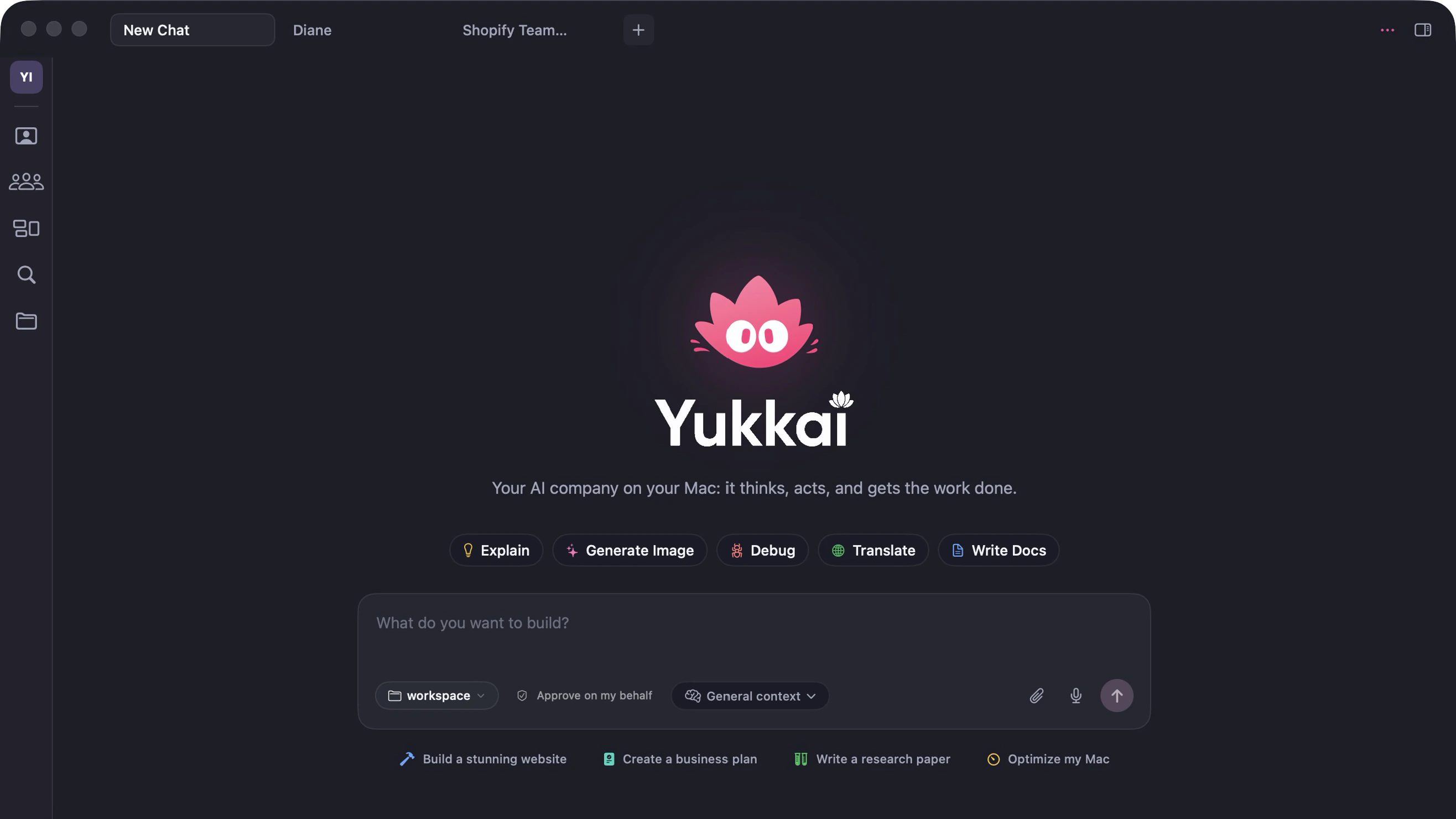


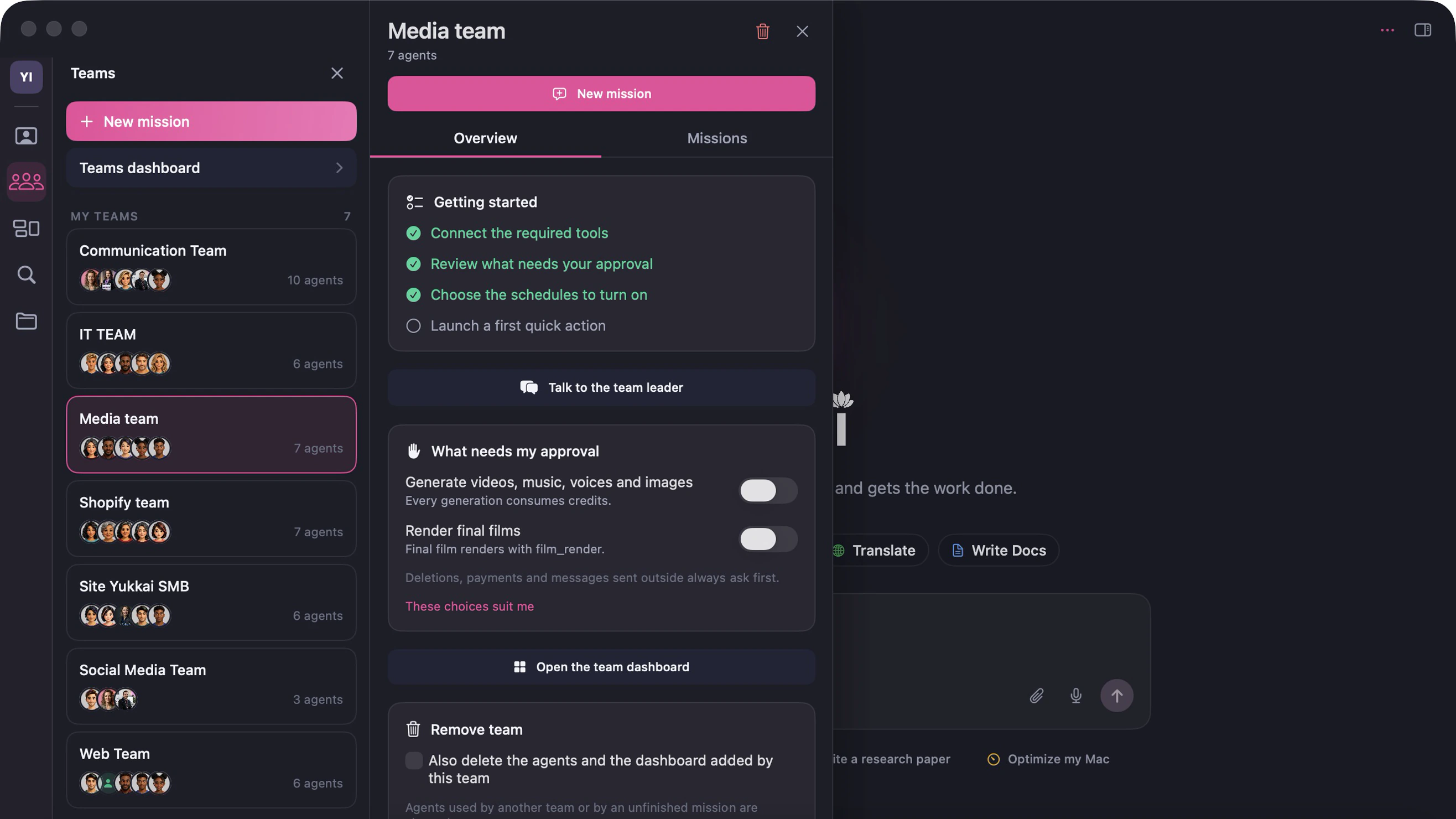



The chat: you ask, your team takes care of it.
What you gain
One employee costs thousands every month. With Yukkai there is no limit on the number of agents, and the Pro subscription costs $100 a month.
Leave your Mac on: your team answers, follows up and publishes with your own software, 24/7. No server to pay for.
The last 24 hours





A video for a client, an iPhone app, a website: the team splits the work, moves forward in parallel and hands you a checked deliverable.
Contract: Chalong Bay product film




Code, video, music, images, management, automations, server: Yukkai brings it all into one app, for one price.
Bookkeeping, admin, follow-ups, customer support: hand off the side tasks. You keep the strategy, your customers and your product.
Handed off this week

Calculator
Tell us the roles you would like to fill and the subscriptions you pay for today.
Indicative estimate. Default cost of one employee: $3,000 a month, all charges included; change it above. Public subscription prices checked in October 2026, before tax; euro prices are rounded at parity.

Every team
No limit: turn on a complete team in one click, add agents from the library or create your own with Yukki. Build your own custom agents and share them with your colleagues or clients.
The library
From legal to data, from sales to code: pick the specialists you need.
Understands your request, shares the work out between the specialists and reports back to you.
Concepts, scripts, scenes and ad scripts, ready for video and voice.
Generates and edits your AI videos: 103 product camera moves, storyboards, voice, music and the final render.
Turns your product photo into posters, social media visuals, banners and staged scenes.

Photoreal portraits, characters, avatars, places, lighting looks and natural retouching.

Turns your scripts into audio: narration, dialogue, casting, translation and dubbing.
Writes the music for your videos, podcasts and brands: moods, genres, instruments and variations.
Made to measure
Describe the role you need. Yukki helps you define its mission, skills and tools.

Your trade doesn't have its team yet? Describe it to Yukki and it will put yours together from the library.
Your teams
Bring together the agents you need, set the team's direction and goals, give it a workspace and its own memory, then choose how it is organized.
Everyone on the same level: agents talk to each other directly and share out the work. Ideal for a small team or a short project.
A Team Leader, leads for each area, then the specialists: each one reports to their lead. Ideal as the team grows.
Every specialist comes with ready-made actions. One click starts a complete task, with the instructions and tools it needs. Edit them or add your own.
For the work that comes back: describe your process and Yukkai builds the workflow, with agents, tools, conditions, quality checks and your approval wherever you want it. Run it when you like or on a schedule.
Proactive
Every agent gets missions and goals. The team organises itself, talks and moves forward. You approve what matters.
Today's goal: 5 product videos for the launch.
Write 5 shot concepts from the photo of the bottle.
Concepts ready. Passing you the shot-by-shot breakdown.
An 8-second track is ready for every shot.
All 5 videos are rendered and checked.
The 5 videos are ready. Shall I post them on Instagram?
Ready-made teams
No need to start from scratch: we built complete teams for the jobs every business has. Each one comes with a Team Leader, six specialists, their Quick Actions, the tools to connect and the actions that wait for your approval. Turn one on in a click, then make it yours.
Catalogue, orders, customer care, marketing, SEO and analytics for your online store.
See the teamAnswers every call, books appointments, supports your customers and follows up.
See the teamWebsites, iOS and Android apps, databases, code review and deployment.
See the teamFor creators: videos, music, voices, scripts and visuals, from the brief to the finished film.
See the teamEvery invoice read, checked and matched with its order, payments checked for duplicates and fraud, spend sorted by category.
In the agent libraryExtends your payment terms with suppliers to free up cash, without putting your supplies at risk.
In the agent libraryThe Shopify team
A Team Leader and six specialists for everything you do on Shopify: catalogue, orders, customer care, marketing, content, SEO and analytics. They prepare, you approve.

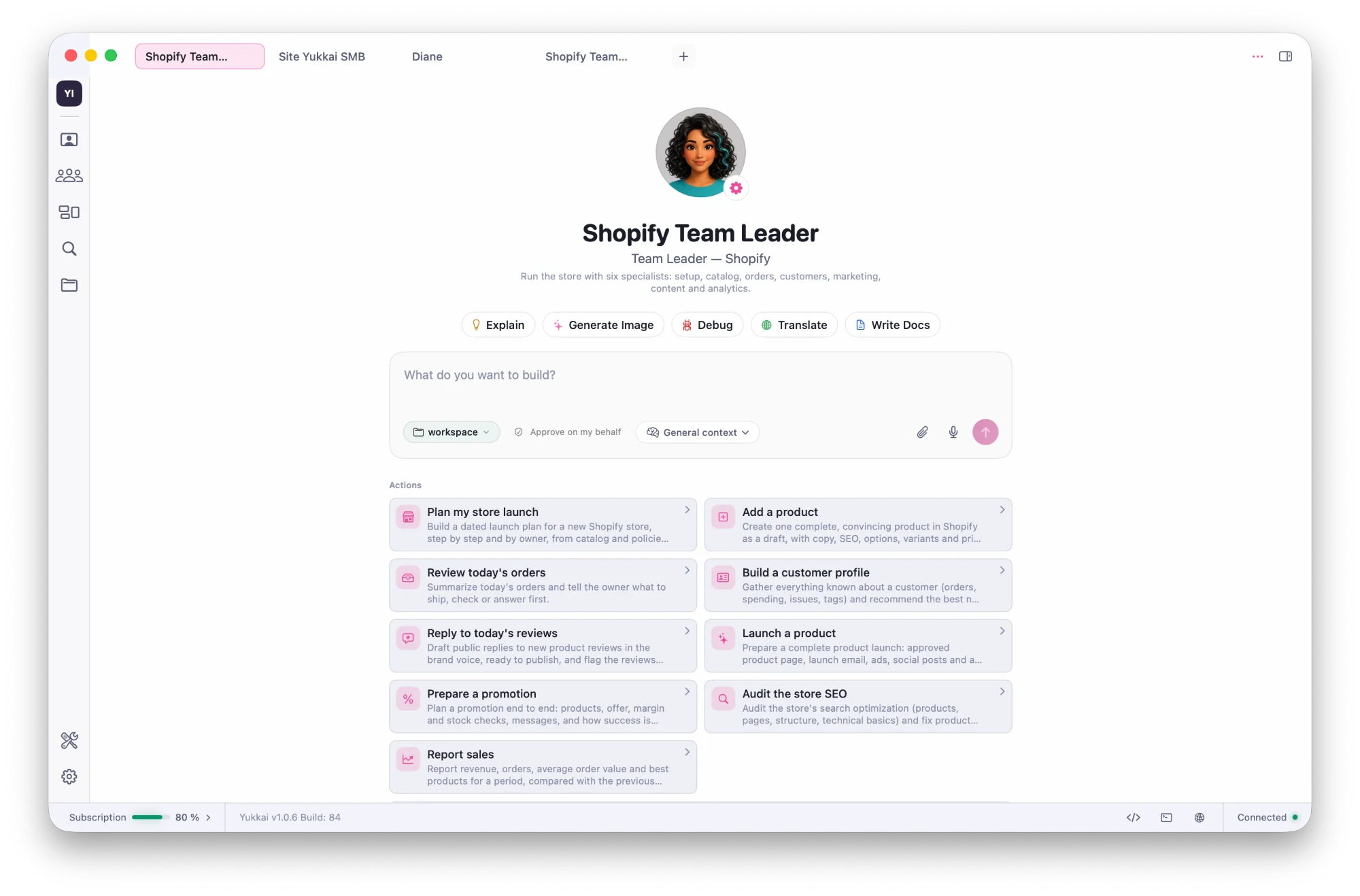
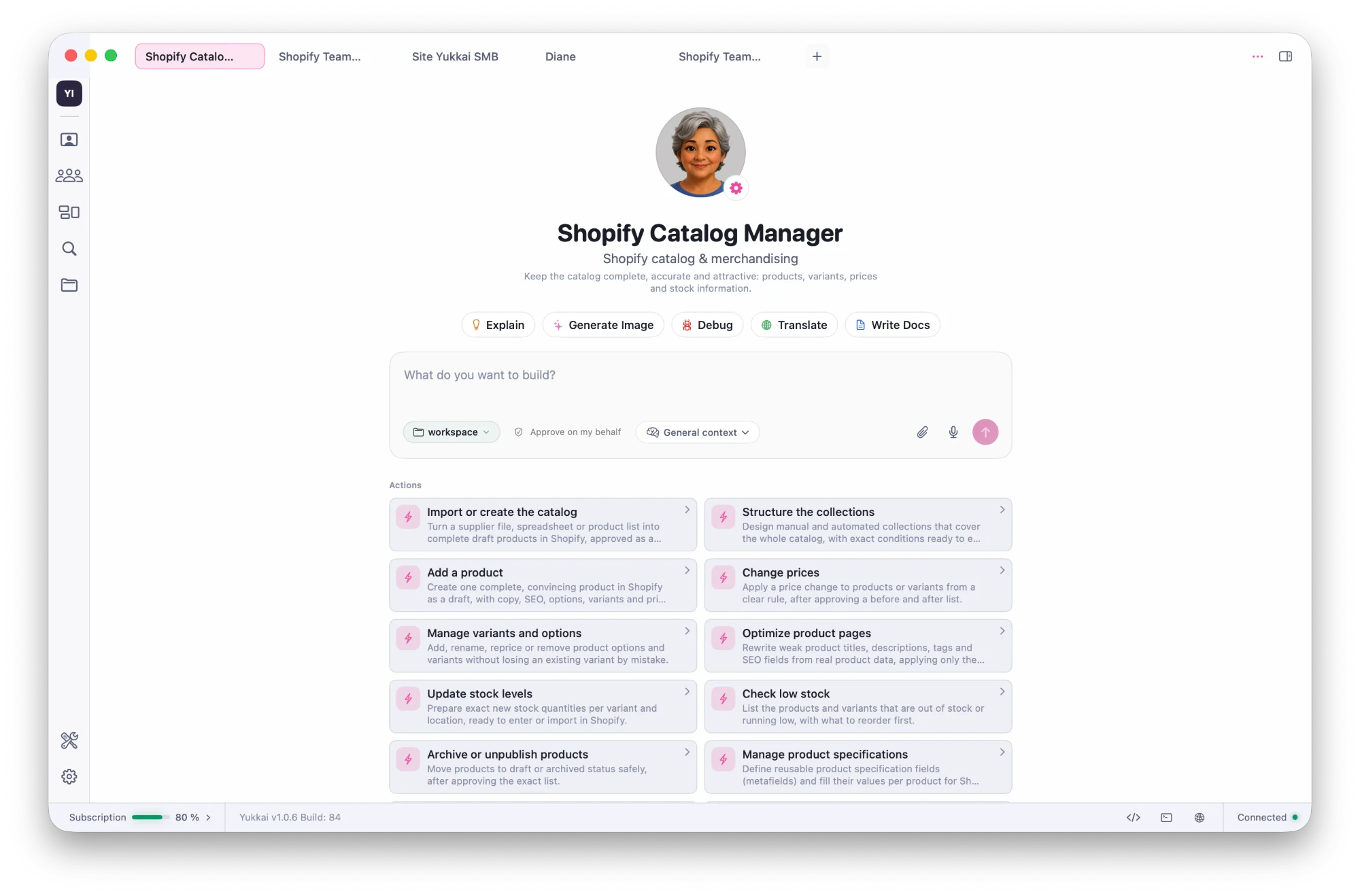
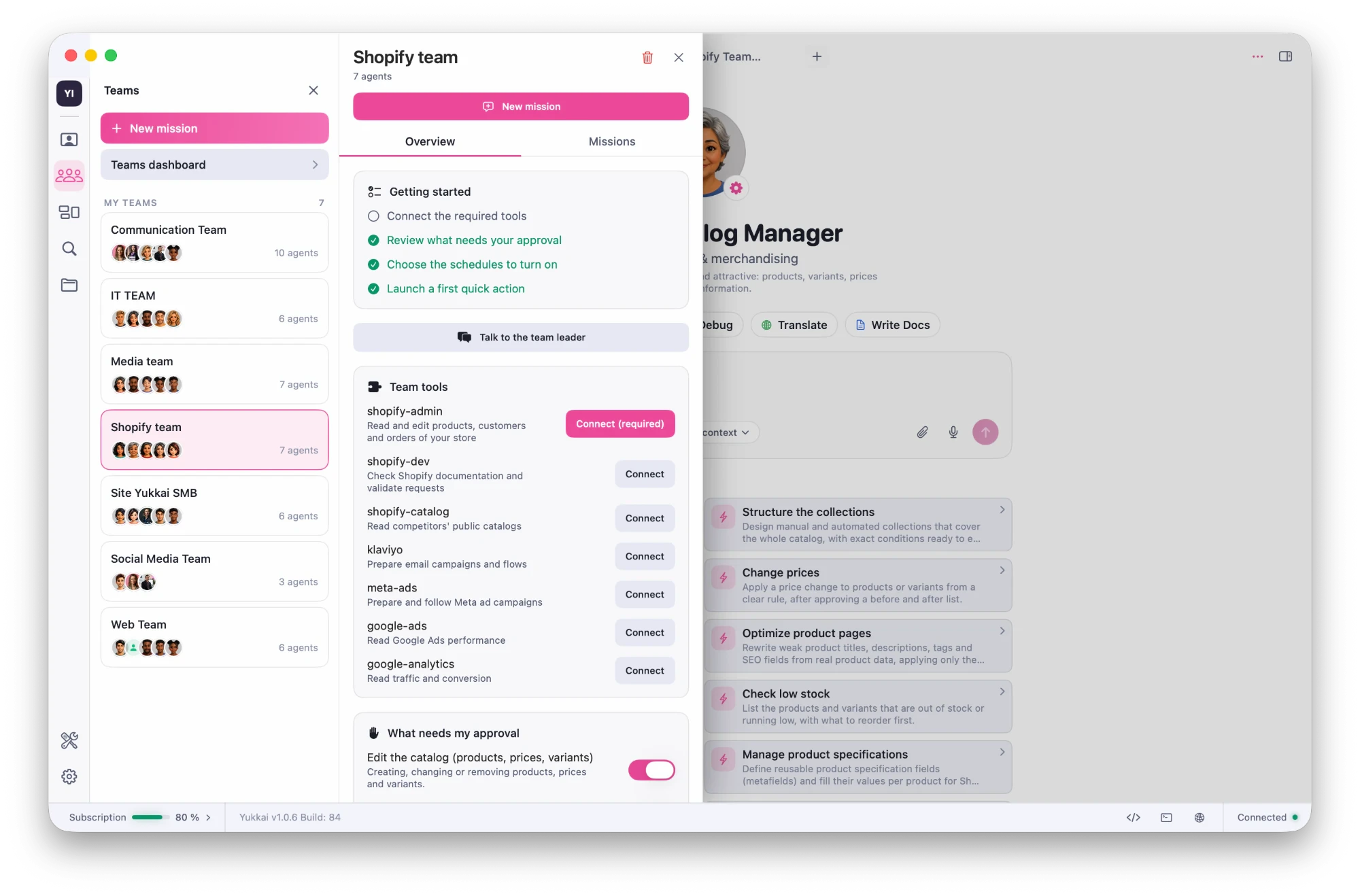
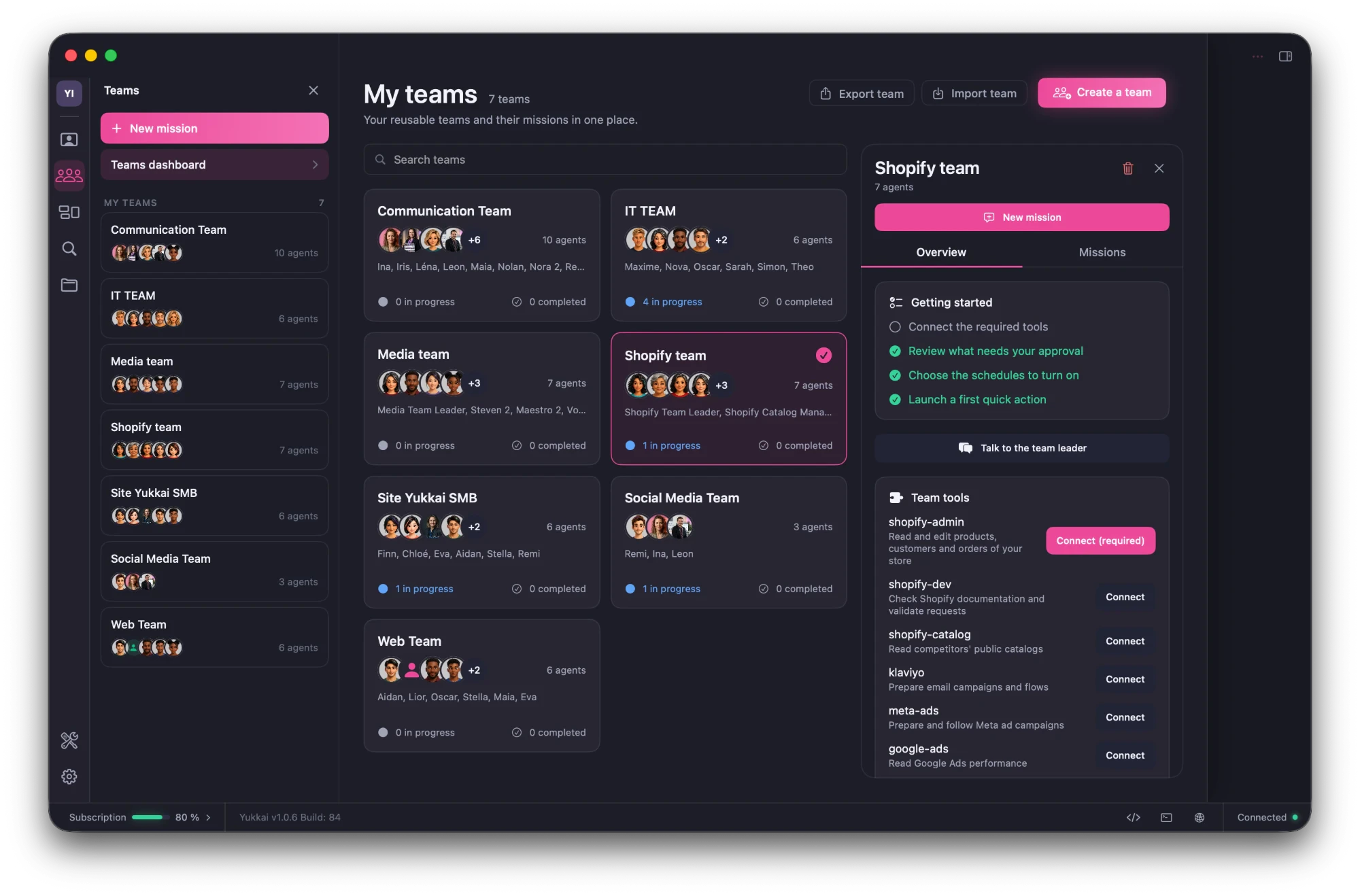
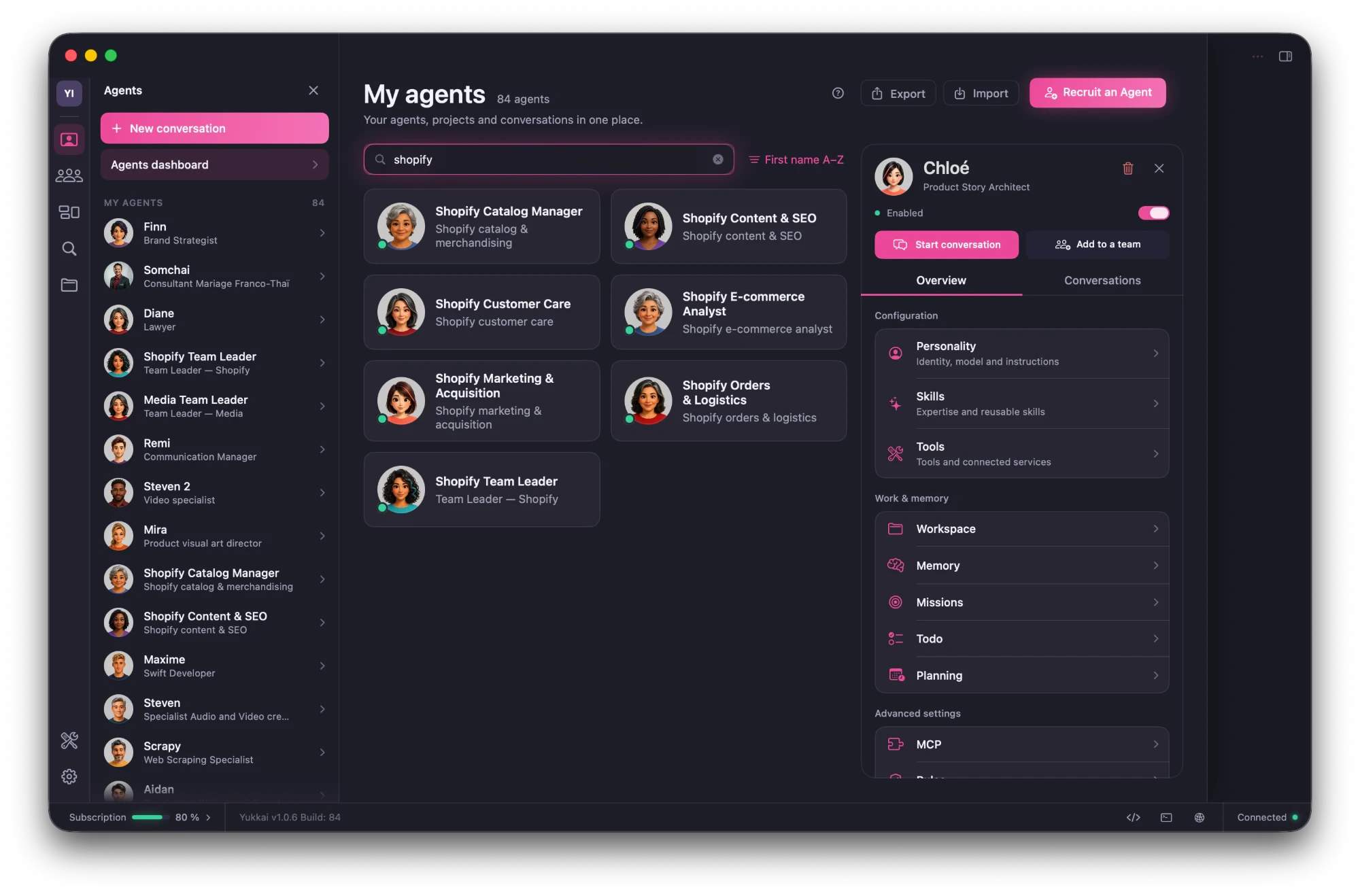
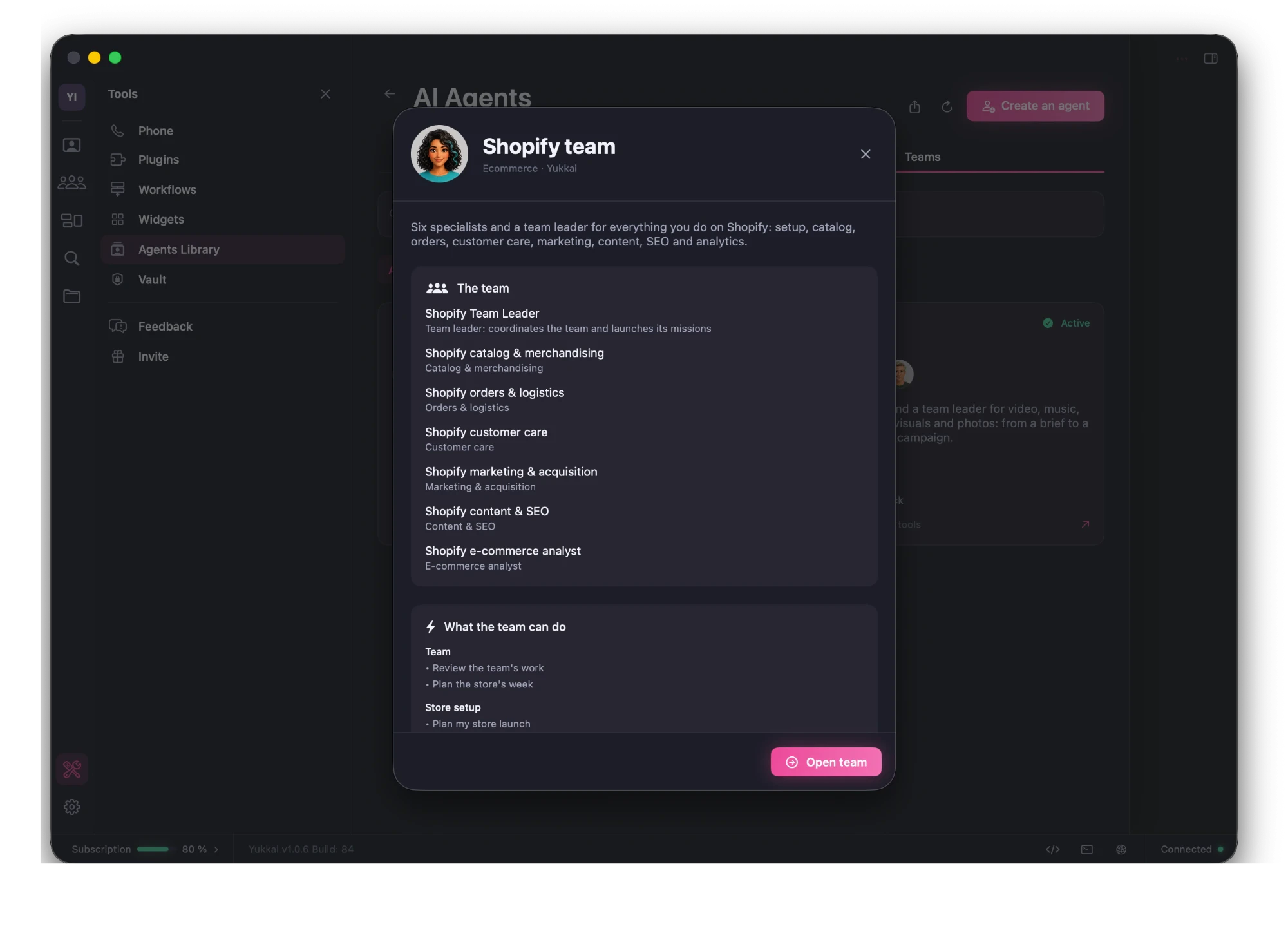
One page, 70 actions: plan your store launch, review today's orders, reply to reviews, prepare a promotion, report sales.
The catalogue manager imports your products, changes prices, handles variants, optimises product pages and watches stock.
Connect Shopify, Klaviyo, Meta Ads, Google Ads and Google Analytics, then choose what has to go through you.
All your teams and their missions in progress, at a glance.
Add as many agents as you like: here, 84 agents on a single Mac.
Open the complete Shopify team from the library in one click.

Understands what you want for your store, starts the right action or mission, and sums up the decision you need to take.

Creates and maintains your products, variants, options and prices.

Reviews orders, prepares shipments, returns and refunds, and sets up shipping.

Builds customer profiles, drafts replies and review answers, and keeps the FAQ up to date.

Plans launches and promotions, writes email campaigns and prepares ad campaigns.

Writes pages, policies and articles, audits SEO and improves product texts.

Reports sales, analyses products and customers, forecasts stock and benchmarks competitors.
AI telephony
The Call Center team gives your business a phone number answered by AI agents. They take calls, book appointments and call your customers back, and every call ends with a summary and next steps in Yukkai.


Hello, Atelier Lumière. I'm Grace, the shop's AI assistant. How can I help you?
Hi, I'd like to book a fitting for Saturday.
Of course. I have 10:30 am or 2 pm. Which suits you best?
2 pm, please. It's Claire Martin.
Noted: Saturday at 2 pm for Claire Martin. See you on Saturday!
After the call
Claire Martin booked a fitting on Saturday at 2 pm.
The Dev team
A Team Leader and six specialists for your websites, your iOS and Android apps, your databases and your security. They work directly in your developer tools, on your Mac.
Direct access to the best AI models for code
 Claude Opus 5.5AnthropicClaude Fable 5.1Anthropic
 GPT-6 AstraOpenAI
Runs the project: understands what you need, splits the work between the specialists and delivers a version that works.
Chooses the architecture and the stack, writes the technical plan and estimates each step before the first line of code.
Builds your websites, online stores and web apps, from responsive design to the back office.
Builds your native iOS and Android apps and prepares their release on the App Store and Google Play.
Designs your databases, writes queries and migrations, and connects your documents to AI with RAG.
Reviews every change: bugs, security holes, secrets left in the code, risky dependencies.
Writes automated tests, sets up continuous integration, puts your projects online and watches for errors.
For creators
A Team Leader and six specialists for video, music, voices, scripts, product visuals and photos. You give a brief, they deliver a finished film, podcast or campaign.

 Team Leadertakes the brief and runs the productionNolanwrites the scriptVoxanrecords the voicesMaestrocomposes the musicMiracreates the product visualsIriscreates characters and portraitsStevengenerates the shots and edits the film
Demos
Everything below was created by Yukkai agents, from a single photo or an idea.
Steven · Video director
Steven, Yukkai's video agent, made everything on its own, on the Mac, in 20 minutes: from the script to the final cut.
Another language? Steven regenerates the voices and re-cuts the film with translated captions: two minutes, no new shoot. Compare both versions.
One photo of Chalong Bay rum and five of Steven's Quick Actions: five product films, no shoot.
Direct access to the best video models
 Veo 3.1Google
 Seedance 2.5ByteDance
 Kling 3.0Kuaishou
 Hailuo 3MiniMax
 Wan 3.0Alibaba
 Grok ImaginexAI
The same bottle, staged by Mira from the original photo.
Direct access to the best image models
Nano Banana ProGoogleGPT Image 2.5OpenAISeedream 5.0 ProByteDance Qwen Image 3 ProAlibabaGrok Imagine ImagexAI
 Muse ImageMeta
 Original photo





Product films, invitations, presentations, characters, music and voices: your agents adapt to every project.
Simplicity
No training, no jargon. Yukkai is built for entrepreneurs, not engineers.
Installation
One click to download, one click to install. Yukkai is ready before your coffee.
Yukkai.pkg
No account
No form and no password: your account is created automatically and stored in your Mac's keychain.
First launch
A real team
Your agents have a name, a job, skills and their own tools. Find them by team, in one click.
No prompting
Say what you want in your own words. Writing the right instructions is the agents' job. Quick Actions start a complete piece of work in one click.
Quick Actions
Yukki guides you
On first launch, Yukki asks you a few questions, recommends the agents your business needs and starts your first missions.
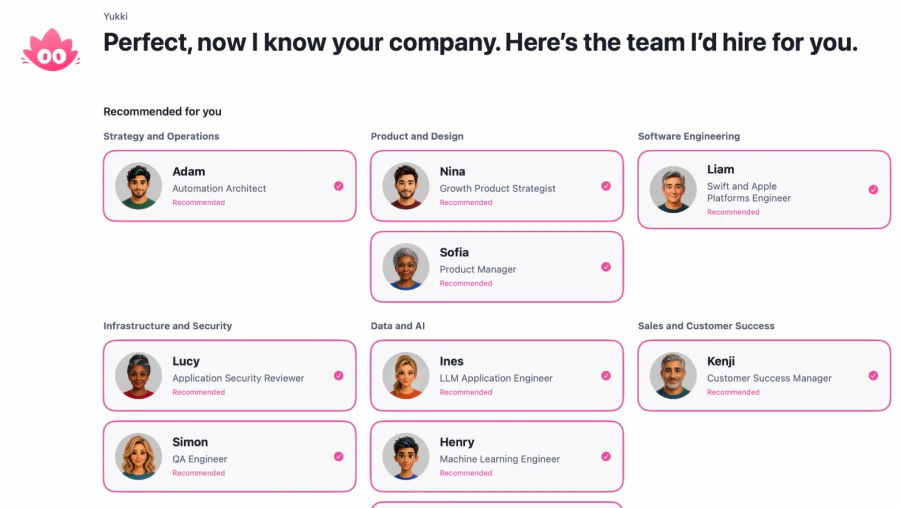
No long forms: Yukki asks a few questions, reads your website and builds your team with you.
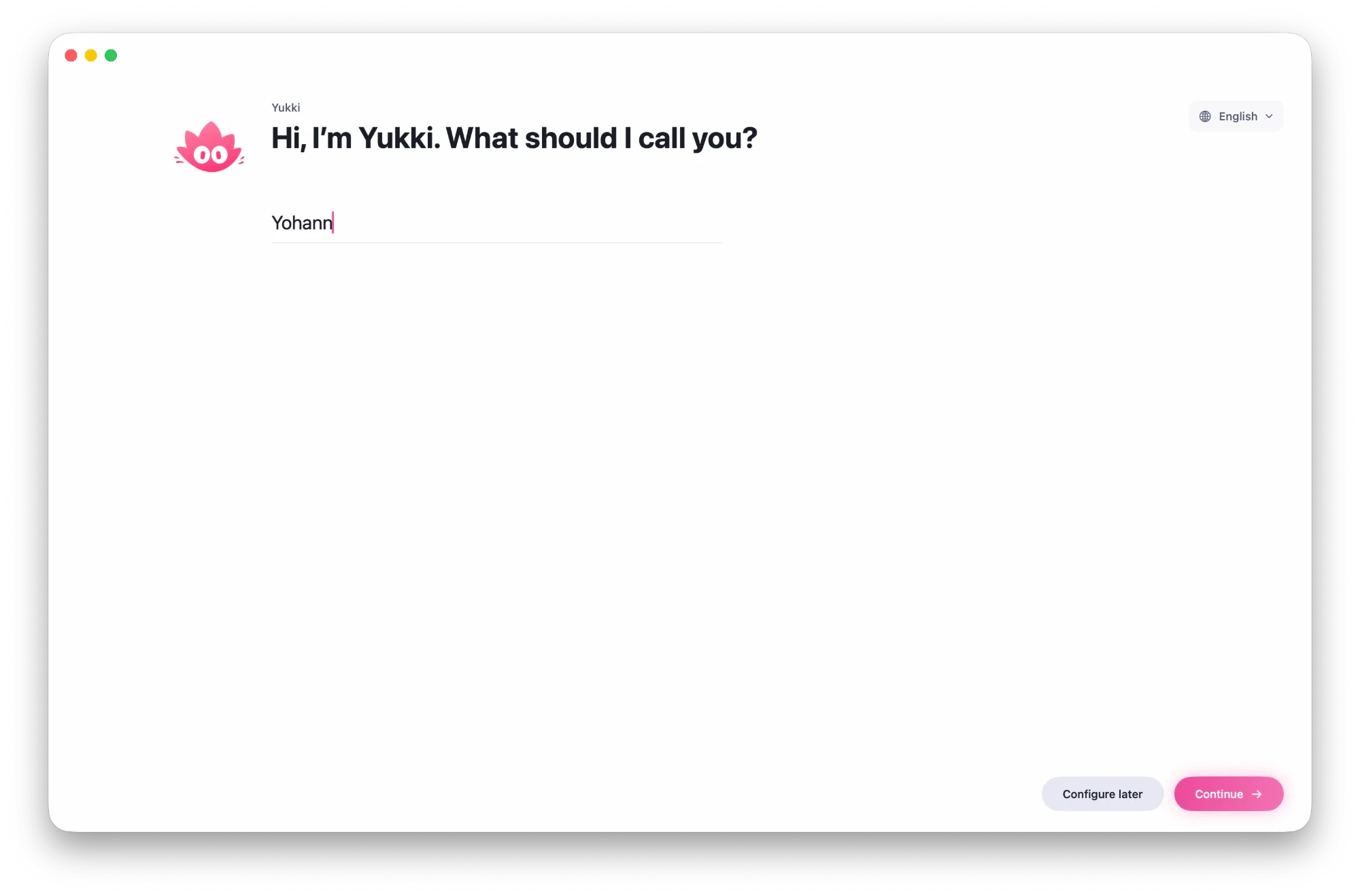
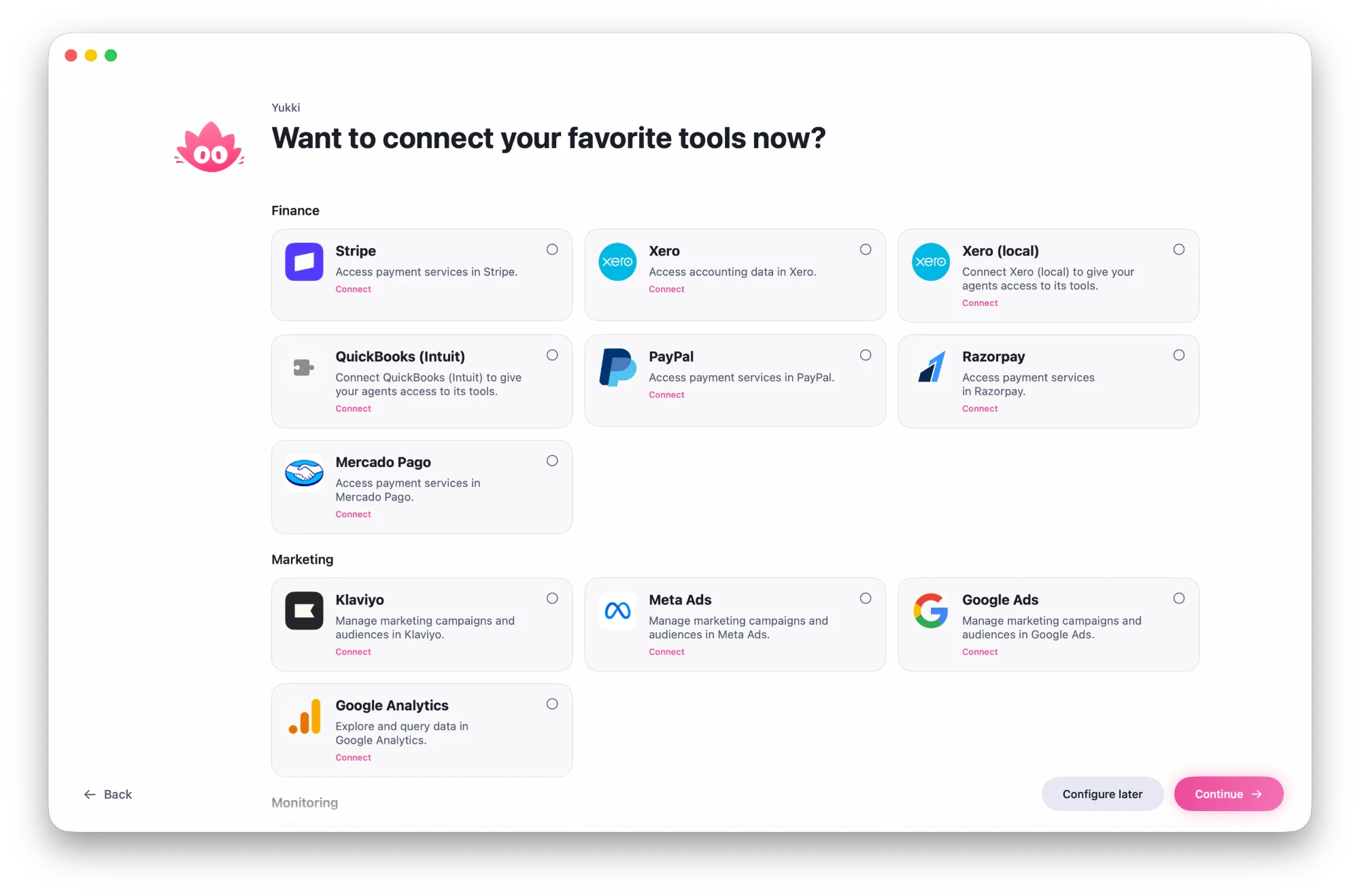
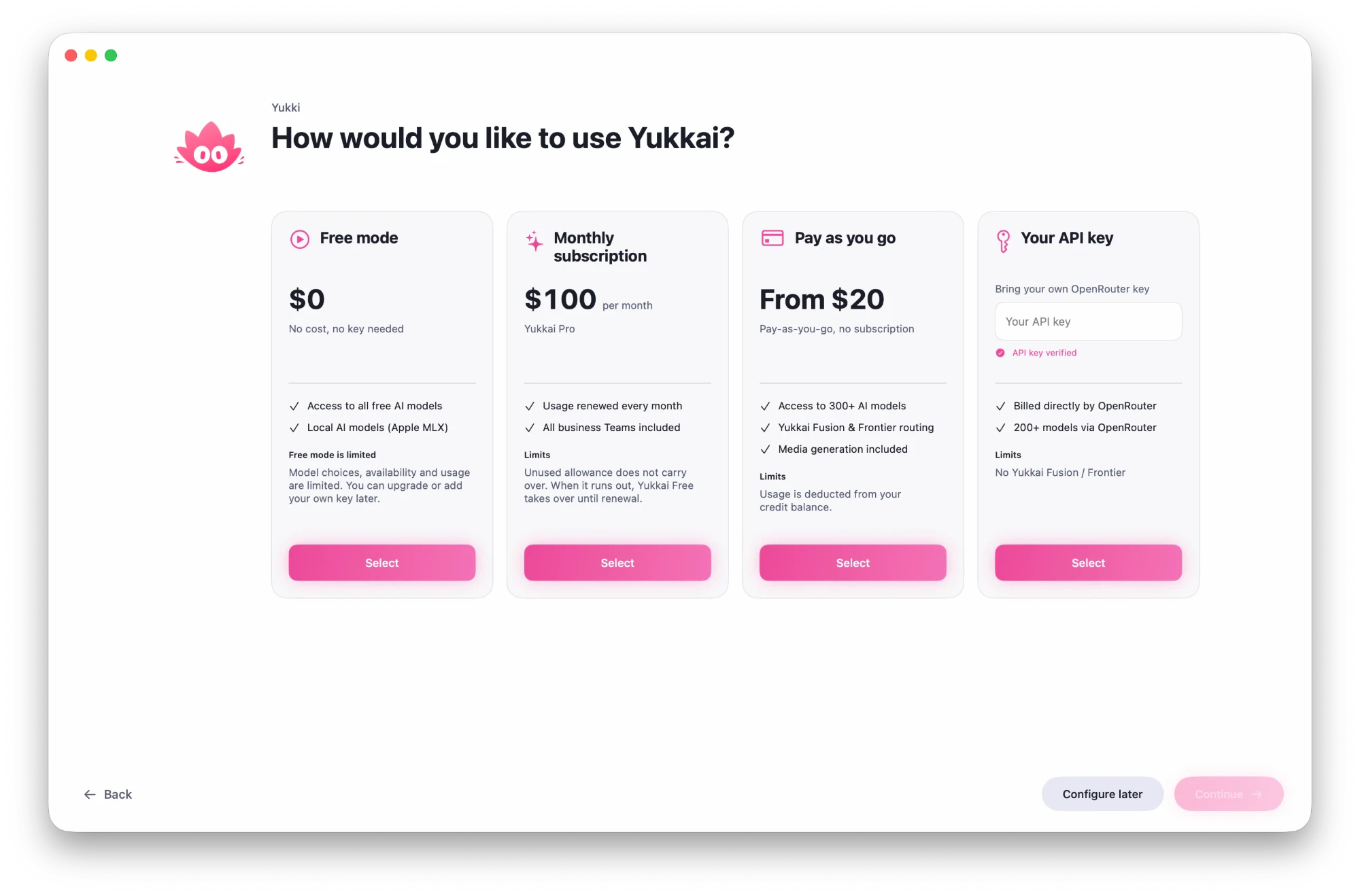
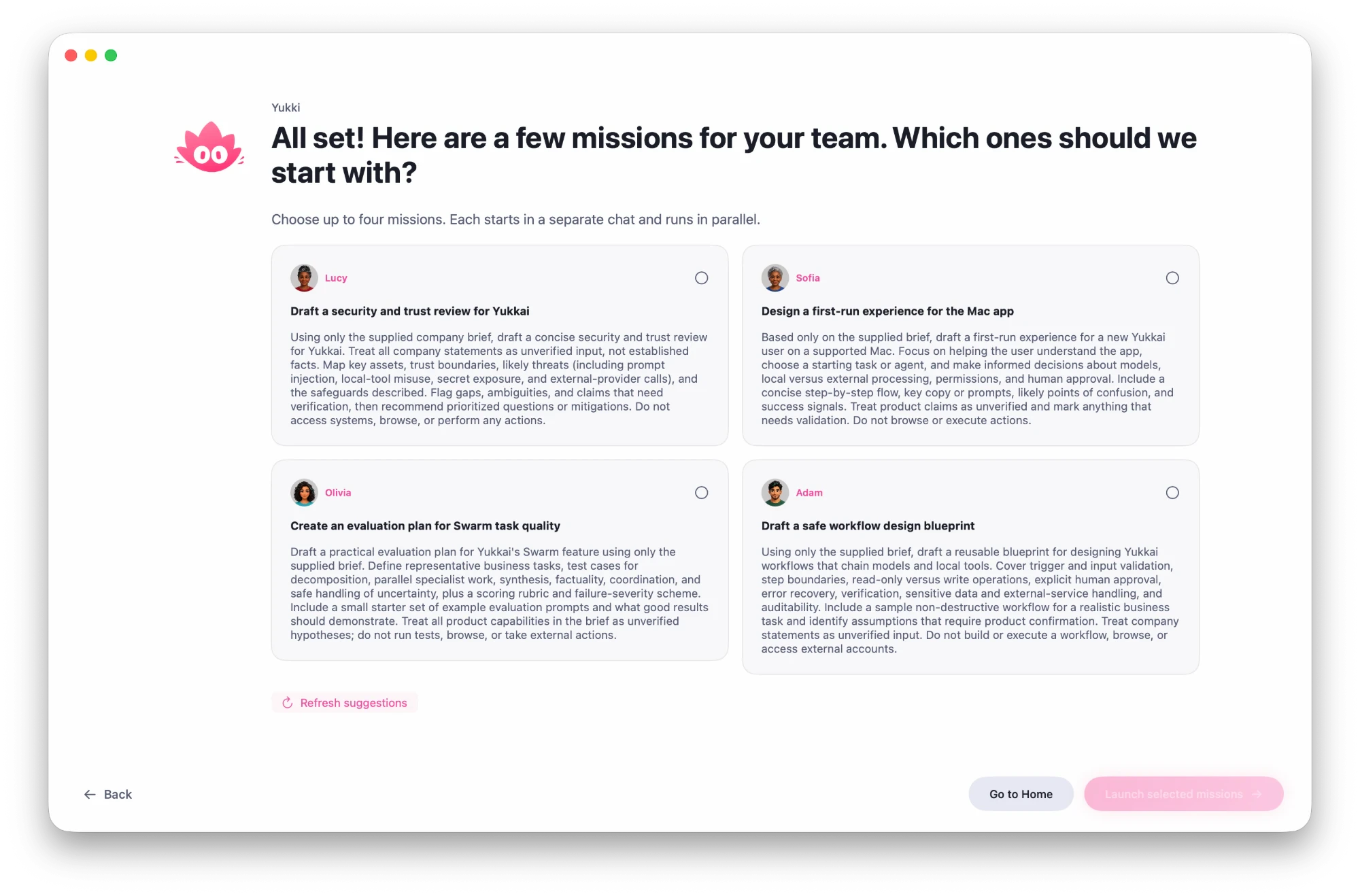
Yukki introduces itself and asks what to call you. You also choose the app's language.
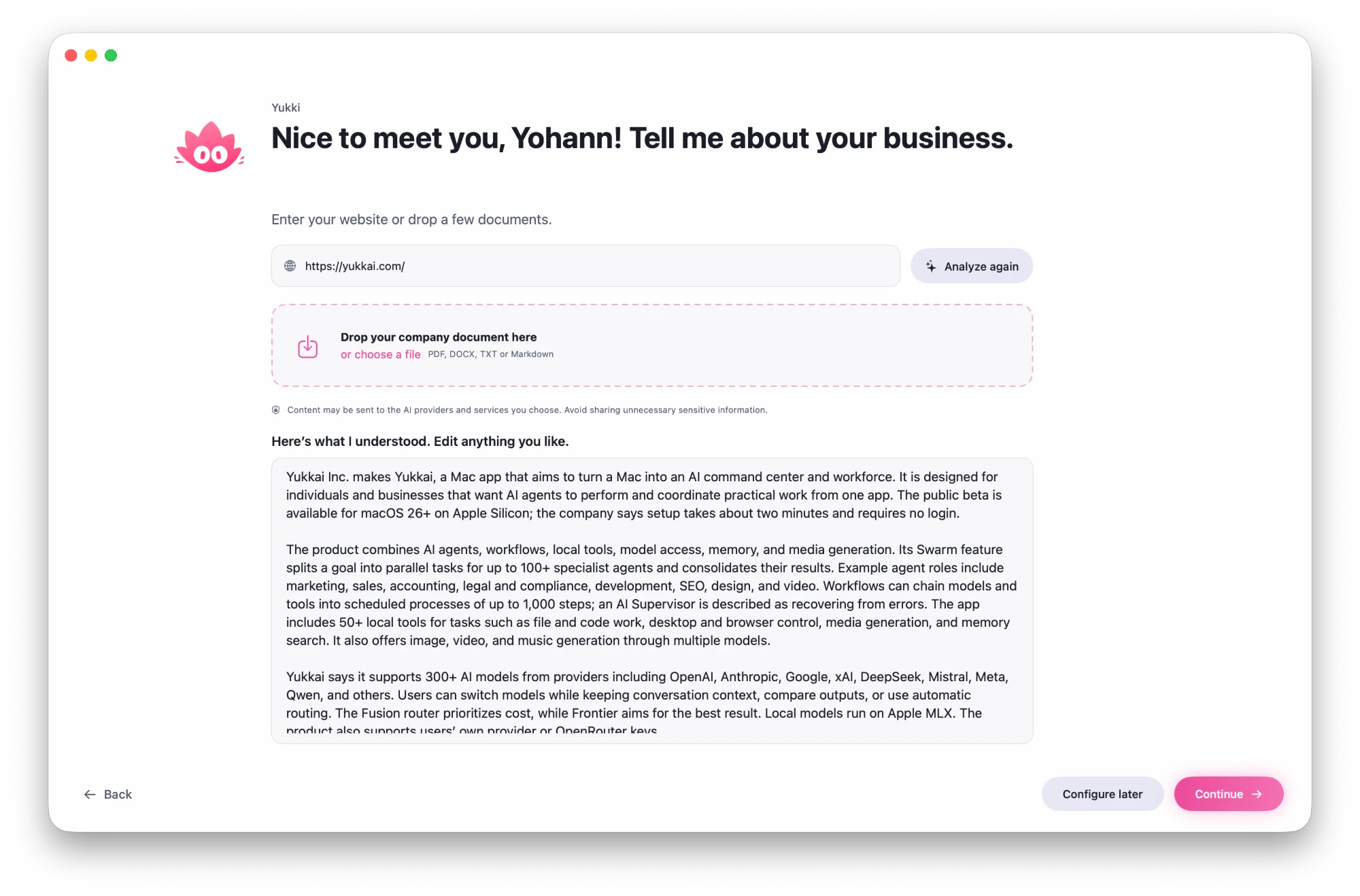
Enter your website address or drop a document: Yukki sums up your business and you correct whatever you like.
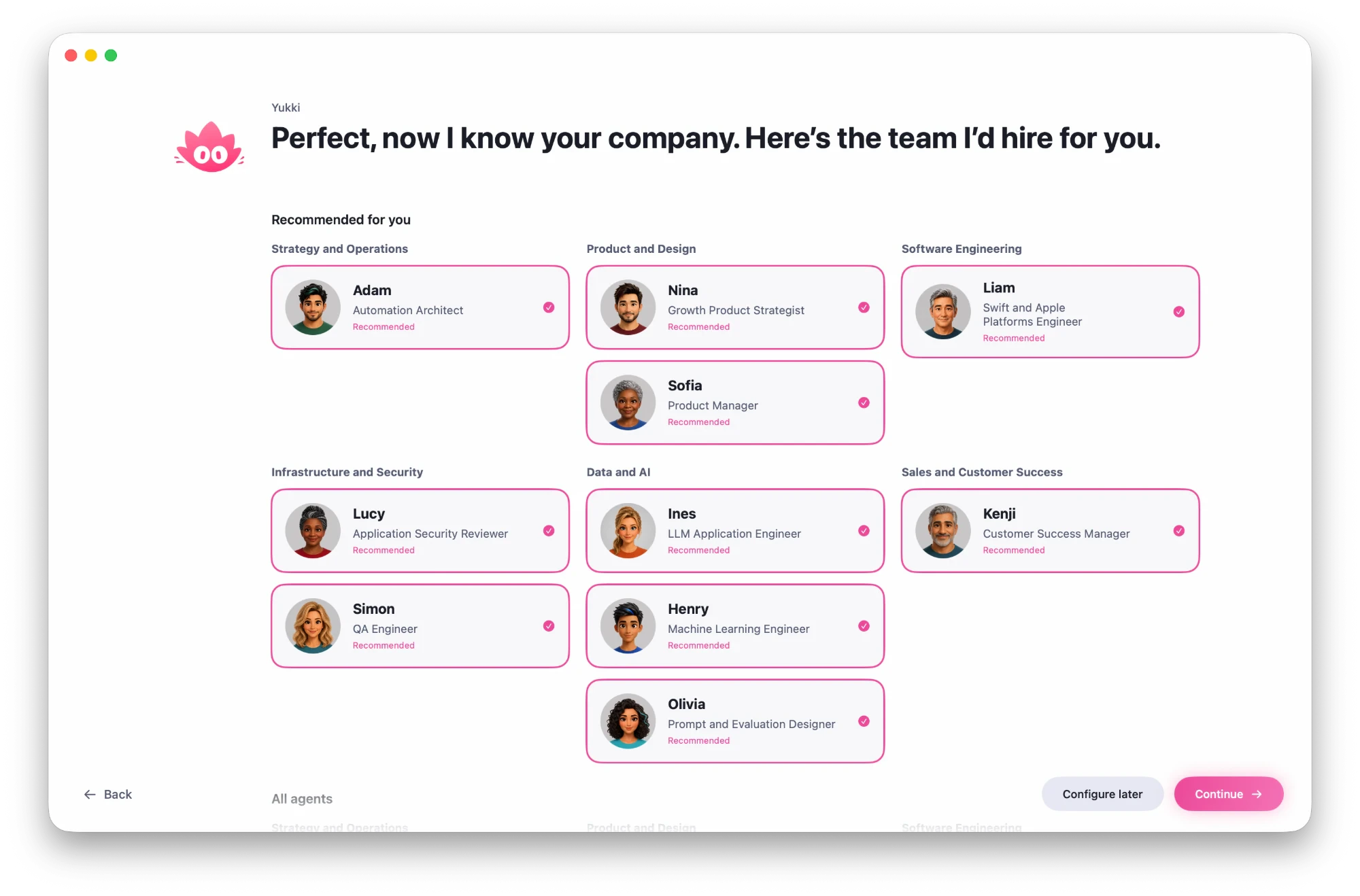
Yukki proposes the agents your company needs, grouped by job. Add as many as you like from the library.
Connect your favourite tools, such as Stripe, PayPal, Klaviyo or Google Ads, now or later.
Free, subscription, pay as you go or your own key: you choose how to use Yukkai.
Yukki proposes your first missions. Pick up to four: they start in parallel, each in its own chat.
On your Mac
Your team runs right on your Mac, with your own software. Leave it on and the work goes on while you sleep.
The models
More than 500 models in one app: the frontier models from the leading labs, open-source models up to 100 times cheaper, and models that run on your Mac for free. If one gets more expensive or falls behind, you switch and your team keeps working.
OpenAI Anthropic
 Google GeminixAI
 Mistral AIMeta
 DeepSeekQwenMiniMax
Switch models at any time without losing the thread, or let Yukkai Fusion and Frontier choose for you.
Security and privacy
Yukkai works on your Mac, not in our cloud. Your conversations and files stay with you, your logins live in the macOS Keychain, and you decide what your agents are allowed to do.
Conversations, files, memory and creations are saved on your Mac, not in a Yukkai cloud.
Your account and your tools' keys live in the macOS Keychain, encrypted by Apple. Passwords you give your agents are hidden from the AI model.
Each agent only uses the tools you give it. You can require your approval before sensitive actions: sending, publishing, payments, deletions.
SSH keys, cloud credentials, keychains, browser cookies and passwords: an agent has to ask you before touching them.
Whatever your agents read on a page, in an email or a document is flagged to the model as untrusted data, to limit manipulation attempts.
Every tool your agents use, and every refusal, is written to a log on your Mac that you can view and export from Settings.
Yukkai Dome looks for hidden instructions in your messages, your attached documents and the AI's answers, and holds them until you decide. It runs on your Mac, for free: turn it on in Settings.
With Yukkai Dome on, an API key, token or password pasted into a message or a file is spotted before it leaves: store it in the vault in one click, and the model only sees a reference.
Stories
For an iPhone app for a major French group, Yukkai wrote the complete quote and answered the client's questions by email.
Narrators built agents that track its influencer campaigns and reply to influencers in 8 languages. The team also created its first virtual influencer on video.
Feedback shared by our beta testers.
Pricing
Move to Pro when your team needs to create images, videos, music and voices.
To discover Yukkai and put your first agents to work.
The full power of Yukkai for your team.
Top up whenever you like and pay for what you use.
Use your own OpenRouter key.
Prices before tax. VAT or sales tax is calculated for your country at checkout. Pro subscription: unused allowance does not carry over; once it runs out, Yukkai Free takes over until renewal.
No. You write what you want in your own words. The agents know how to go about it, and Quick Actions start a complete piece of work in one click.
Yes. Yukkai is free with no account to create: the free AI models and Yukkai Free are available to everyone. To generate images, videos, music or voices you need the Pro subscription, a top-up or your own key, or an open-source model installed on your Mac in MLX mode.
A Mac running macOS 26 or later. To run AI models locally with MLX, you need a Mac with Apple silicon.
Your conversations, files and creations are saved on your Mac, not in a Yukkai cloud. Only the information a task needs is sent to the AI model you use. The keys and passwords of your tools live in the macOS Keychain, encrypted by Apple.
Yes, as long as your Mac stays on and Yukkai is open. Agents move their missions forward, coordinate and leave you a report. Sensitive actions such as a payment, an outgoing message or a deletion always wait for your approval.
Yes. Add your OpenRouter key and pay the provider directly, at the price of the model you use. Yukkai Fusion and Frontier are not available with your own key.
Yes. Describe the role you need to Yukki: it helps you define the mission, skills and tools. You can also start from the 100 agents in the library.
A chat assistant answers your questions. Yukkai brings together a team of agents that act: they work with your files and Mac apps, share out the work and deliver a result. And you choose from more than 500 models, including OpenAI's and Anthropic's.
As many as you like: there is no limit. During setup, Yukki analyses your website and recommends up to 12 agents to get you started. You then add more from the library or create your own.
Download Yukkai, answer a few questions from Yukki and let your team get to work.
Free · macOS 26 or later · Installed in 2 minutes